
How to Use ChatGPT for SEO, A Practical Workflow With Prompts and QA Checks

To use chat gpt for seo in 2026 without hurting rankings, treat it like a drafting and analysis assistant, then validate every claim, keyword decision, and on-page change with real data from your site and SERPs.
- Use ChatGPT to speed up SEO tasks (research, briefs, on-page, internal links, reporting), but keep humans responsible for final decisions and factual accuracy.
- Build a repeatable workflow with checkpoints: inputs (GSC, SERP notes) → draft → verification → publish → measure impact.
- Prioritize high-leverage wins first: pages ranking positions 8 to 20, CTR underperformance, content decay, and internal linking gaps.

What Using ChatGPT for SEO Actually Means in 2026
Using ChatGPT for SEO in 2026 works best when ChatGPT produces structured drafts and options, while you provide the truth: your data, your product details, and your final editorial judgment.
SEO assistant use vs GEO and why the difference matters
- SEO assistant use: ChatGPT helps you execute classic SEO tasks faster (topic research, outlines, on-page improvements, internal linking, schema drafts, reporting narratives).
- GEO (generative engine optimization): You format content so AI answers can cite it: clear definitions, scannable steps, constraint-driven checklists, and claim verification.
In practice, you often do both: SEO to earn rankings and GEO-style formatting so your content can be safely reused in AI summaries without losing meaning.
Goal to tactic decision table
| Goal | Best ChatGPT help | Human verification required | What not to delegate |
|---|---|---|---|
| Find keywords and topics | Cluster ideas, draft intent buckets, suggest angles | Check search results, confirm intent, validate with GSC | Search volume, difficulty, competitor claims (unless you provide data) |
| Create a content brief | Outline sections, questions, entities, examples | Confirm accuracy, add unique expertise, choose sources | “Facts” about your business, pricing, policies, compliance |
| Improve on-page SEO | Rewrite intros, headings, snippets, add FAQs, propose schema | Check every claim, ensure page matches intent, test readability | Medical, legal, financial advice, or sensitive claims |
| Internal linking | Suggest anchors, link targets, link placement map | Confirm URLs exist, avoid cannibalization, check UX | Mass linking without context |
| Measure impact | Summarize GSC patterns, draft experiments, write reports | Validate metrics in GSC/GA, control for seasonality | Attribution conclusions without a baseline |
If you want a deeper system that ties these steps together, the AI-powered SEO framework is a useful reference for mapping outputs to measurable outcomes.
The Core Workflow to Use ChatGPT for SEO Without Tanking Quality
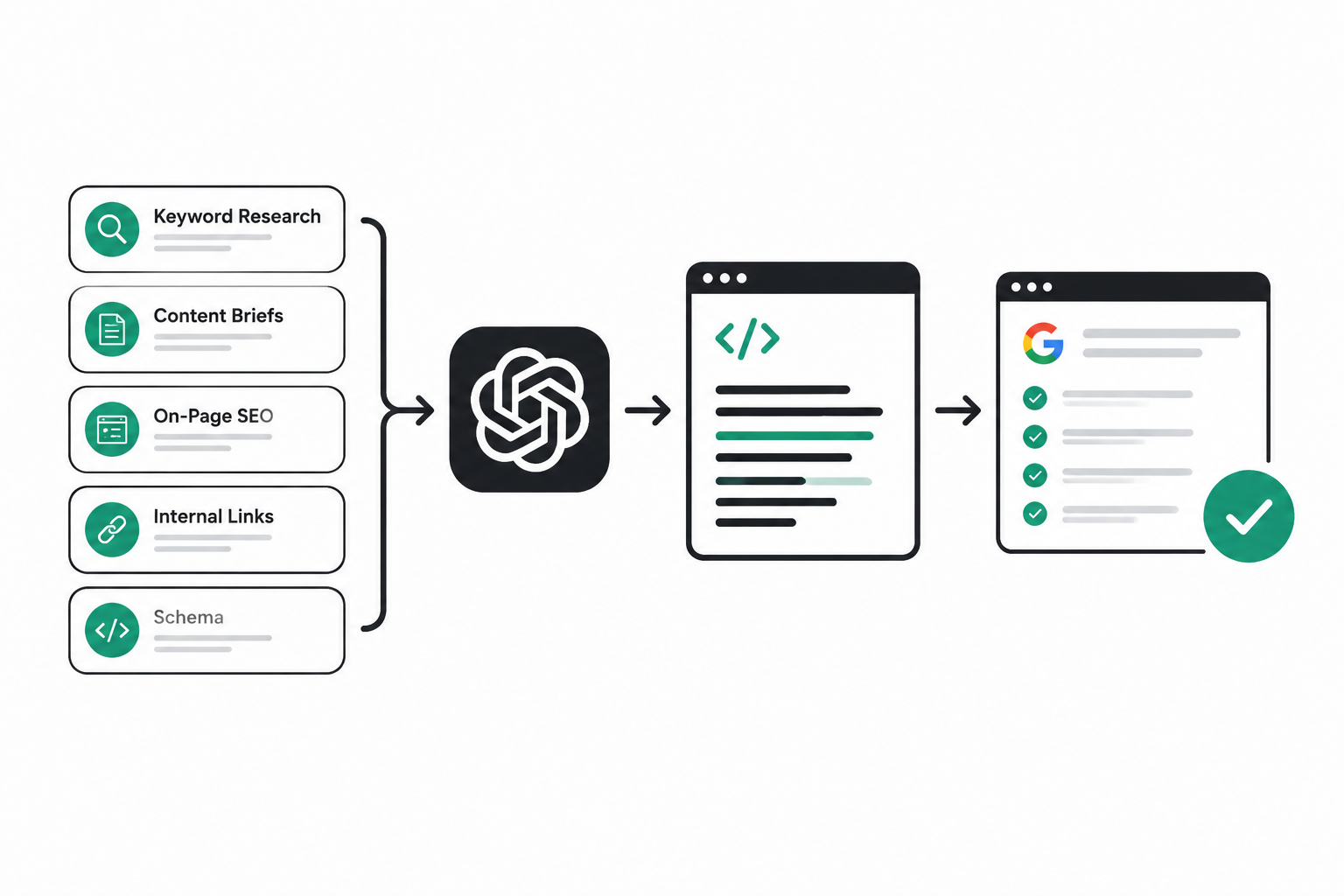
A safe way to use ChatGPT for SEO is to run a five-stage workflow where every AI output must pass a specific checkpoint before it becomes a publishable change.
Stage 1 Inputs you must provide (or the output will be generic)
- Query and page context: target page URL, primary intent, audience, conversion goal.
- Your data: a Google Search Console export for the page or topic, plus top queries and current positions.
- SERP notes: what ranks now, common headings, content types (guides, templates, product pages), and any obvious constraints.
- Brand constraints: claims you can and cannot make, tone, required disclaimers.
Stage 2 Draft the deliverable (AI does the first pass)
Use ChatGPT to draft one deliverable at a time, not “do SEO.” Good deliverables include: a keyword cluster list, a content brief, an on-page rewrite plan, an internal link plan, or a reporting summary.
Stage 3 Verification checkpoint (humans protect accuracy)
- Fact check: remove unsupported stats, dates, or claims.
- Intent check: confirm the draft matches what the ranking pages satisfy.
- Uniqueness check: add your real examples, screenshots, steps, and constraints.
When we tested “AI-first” drafts without adding page-specific data, the content sounded fluent but missed the actual SERP intent signals, which forced rewrites later. The fix was simple: always feed GSC queries and a short SERP notes list into the prompt.
Stage 4 Implementation checkpoint (publish changes as experiments)
- On-page changes: update H1/H2 structure, intro, FAQ, internal links, schema.
- Change log: record what changed and when (even a simple spreadsheet).
- Guardrails: keep one primary intent per page to avoid cannibalization.
Stage 5 Measurement checkpoint (confirm the AI helped)
- Baseline: capture last 28 days of clicks, impressions, CTR, and average position.
- Read window: compare after 14 to 28 days depending on crawl frequency and traffic.
- Decision: keep, iterate, or revert based on observed deltas.
For a step-by-step prompt sequence that matches this workflow, see ChatGPT for SEO workflow (prompts + steps).
Copy-Paste ChatGPT Prompts for Keyword Research, Briefs, On-Page, Internal Links, and Schema
Copy-paste prompts work when they force specificity: your page, your data, your constraints, and a required output format you can validate.
Prompt set A Keyword research from your own GSC data
Use case: turn messy query exports into clusters and page opportunities.
You are my SEO assistant. Use the GSC query export below to create keyword clusters.

Constraints:
- Do NOT invent search volumes.
- Cluster by intent first (informational/commercial/navigational), then by topic.
- Output a table with: Cluster name | Queries | Primary intent | Suggested page type | Recommended target URL (existing or new).

Context:
Site: [INDUSTRY]
Audience: [AUDIENCE]
Primary conversion: [CONVERSION]

GSC queries (query, clicks, impressions, CTR, position):
[PASTE EXPORT]
Validate: spot-check clusters by searching 3 to 5 representative queries and confirm the same content type ranks.
Prompt set B Content brief that prevents “AI fluff”
Use case: create a brief that a writer or editor can execute.
Create an SEO content brief for: [TOPIC]
Target keyword: [PRIMARY KEYWORD]
Supporting queries: [LIST FROM GSC OR RESEARCH]

Requirements:
1) Provide a one-sentence answer that could appear in an AI overview.
2) Provide an H2/H3 outline that matches SERP intent.
3) List must-cover entities and terms (not keywords stuffed).
4) Provide 5 “proof points” we must include (examples, steps, screenshots, definitions).
5) Add a QA checklist at the end.

Brand constraints:
- Avoid claims about [FORBIDDEN CLAIMS].
- Tone: practical and beginner-friendly.
Validate: confirm the outline covers the top subtopics shown across the first page of results, not just what the model “thinks is common.”
Prompt set C On-page rewrite plan (title, intro, headers, FAQ)
Use case: refresh an existing page without changing its core intent.
Act as an SEO editor. Improve on-page SEO for this URL: [URL]

Inputs:
- Current title tag: [TITLE]
- Current H1: [H1]
- Current outline (H2/H3): [PASTE]
- Top queries from GSC: [PASTE]

Output format:
1) Recommended title tag (max ~60 characters)
2) Recommended meta description (max ~155 characters)
3) Revised H1
4) Updated H2/H3 outline with intent notes per section
5) New intro paragraph that answers the query in the first sentence
6) 4 FAQ questions and short answers

Rules:
- Do NOT add statistics unless I provide them.
- Do NOT change the page’s primary intent.
Validate: make sure the new headings map to real queries and do not introduce unrelated subtopics.
Prompt set D Internal linking map (context-first anchors)
Use case: add links that help both users and crawlers understand relationships.
Build an internal linking plan for the page: [TARGET URL]

Inputs:
- Page topic and intent: [TOPIC]
- Candidate internal URLs (with their topics):
[PASTE LIST]

Output:
- 10 link opportunities with:
  a) Suggested anchor text (natural language, not exact-match only)
  b) Where to place it (section/paragraph suggestion)
  c) Why the link helps the reader
  d) Any risk (cannibalization or off-intent)
Validate: open each suggested destination URL and confirm it truly satisfies the implied promise of the anchor text.
Prompt set E Schema draft with a “no hallucination” rule
Use case: generate JSON-LD you can review.
Create JSON-LD schema for this page: [URL]
Page type: [Article/FAQPage/HowTo/Product/etc.]

Content to base it on (use ONLY this, do not invent fields):
- Title: [TITLE]
- Author: [AUTHOR]
- Publish date: [DATE]
- Main points / steps: [PASTE]
- FAQ (if any): [PASTE]

Output:
- Valid JSON-LD only
- Include only fields supported by the provided content
Validate: run the output through Google’s structured data testing tools and ensure every field is visible on-page.
The 80 20 ChatGPT Method to Find High-Leverage SEO Wins Fast
The fastest way to use ChatGPT for SEO for real impact is to focus on four repeatable opportunities from Google Search Console, then use prompts to generate fixes you can ship within a day.
Step 1 Export the right GSC slices
- Query report: last 28 days, filter to a folder or page group if needed.
- Pages report: same window, sort by impressions to find big surfaces.
- Compare: last 28 days vs previous 28 days to detect decay.
Step 2 Prioritize four win types (simple rules)
- Positions 8 to 20 with high impressions: often one on-page refresh away from page one.
- High impressions, low CTR: title and snippet mismatch, or wrong intent cues.
- Content decay: clicks down period-over-period, especially on once-stable pages.
- Internal link gaps: important pages with low internal links or weak anchors.
Step 3 Use a single prompt to generate an “action list”
Using the GSC data below, find the highest-leverage SEO actions.

Rules:
- Focus on: positions 8–20, CTR underperformance, content decay, internal linking.
- Output a prioritized list with: Page | Query/Theme | Issue type | Recommended change | Expected mechanism (why it should help) | Verification step.
- Do NOT promise results; explain mechanisms only.

GSC export:
[PASTE]
Step 4 Ship small, observable changes
- For CTR: rewrite title tag and first paragraph to better match intent and reduce ambiguity.
- For positions 8 to 20: expand the section that addresses the deciding subtopic in the SERP.
- For decay: update outdated steps, screenshots, and definitions; add a short “what changed” note.
- For internal links: add 5 to 15 contextual links from relevant pages, not sitewide boilerplate.
What surprised our team was how often “CTR wins” came from removing vague wording, not adding more keywords. A clearer promise in the title and a first sentence that directly answers the query typically makes the snippet align better with intent.
How to Measure If ChatGPT Is Helping Your SEO
Measuring whether ChatGPT helps SEO requires tracking two lanes separately: SEO performance outcomes and operational efficiency, because time saved can be real even when rankings lag.
Lane 1 SEO performance metrics (GSC-first)
- Clicks and impressions: confirm the page is earning more opportunities and capturing them.
- CTR on high-impression queries: especially for pages already visible.
- Average position: interpret carefully, but useful for the same query set over time.
Practical measurement rule: tie every AI-assisted change to a specific hypothesis like “improve CTR by aligning the title to the dominant intent” or “increase rankings by covering the missing subtopic shown in top results.”
Lane 2 Efficiency metrics (what AI is actually good at)
- Cycle time: hours from idea to publish.
- Content velocity: briefs or updates shipped per week.
- Editorial load: number of revisions required before publish.
Separate SEO outcomes from AI citations
AI citations and “being mentioned” in generative answers are not the same as organic search performance. If your goal includes visibility inside generative engines, prioritize extractable passages, constraints, and checklists. The guide on improve AI visibility explains how to structure content so answers remain accurate when summarized.
Risk, Compliance, and QA When Using ChatGPT for SEO
Risk control is the difference between using ChatGPT for SEO safely and publishing confident-sounding errors, so every team needs a lightweight QA checklist before anything goes live.
Hallucination controls (non-negotiables)
- No invented numbers: if you did not provide stats, remove them.
- No invented tool results: do not claim audits, scores, or tests you did not run.
- Source discipline: when you need a citation, link to a real primary source.
E-E-A-T safeguards you can implement today
- Add first-hand steps: screenshots, internal SOPs, or “how we did it” procedures.
- Show constraints: who the advice is for, and when it does not apply.
- Author accountability: a real editor signs off on facts and claims.
If you want a structure that naturally reduces fluff and increases topical coverage, a semantic SEO blueprint helps you plan pages around entities and subtopics instead of repeating phrases.
Editorial review checklist (copy into your SOP)
- Intent match: does the first paragraph answer the query directly?
- Claim audit: highlight every specific claim; confirm each is sourced or removed.
- Originality: add at least 2 to 3 concrete examples, steps, or screenshots specific to your process.
- Internal links: are anchors descriptive, and do they lead to genuinely relevant pages?
- Schema integrity: does every field exist on the page and match visible content?
- Final read: does it sound like a human expert, not a generic explainer?
For a broader system that connects strategy, execution, and measurement, use the AI-driven SEO playbook (strategy to measurement) as a reference.
| SEO task | Best ChatGPT output | Minimum QA step | Success signal to watch |
|---|---|---|---|
| Keyword clustering | Intent-based groups + suggested URLs | SERP spot-check for 3 to 5 queries | Cleaner mapping, fewer overlapping pages |
| Content brief | Outline + entities + proof points | Confirm missing subtopics vs top results | Fewer rewrites, faster drafts |
| On-page refresh | Rewrite plan + FAQs + snippet | Remove invented claims, keep intent stable | CTR lift on high-impression queries |
| Internal linking | Contextual link map and anchors | Confirm destination pages truly match anchors | Better crawl paths, more impressions for target pages |
| Reporting | Trend summary + experiment ideas | Verify every metric in GSC/GA | Clearer decisions, shorter reporting time |
FAQ
If you want help applying this workflow to your site without tool overload, Freeways can run a quick SEO audit and roadmap session to identify your highest-leverage fixes and turn the prompts and QA checks into a repeatable process your team can maintain.

Written by Joyce Ng.

Is Your Website an Open Book or a Black Box to AI?
Learn optimization artificial intelligence with a clear taxonomy, a weight-update example, a method selection matrix, and a measurable project workflow.
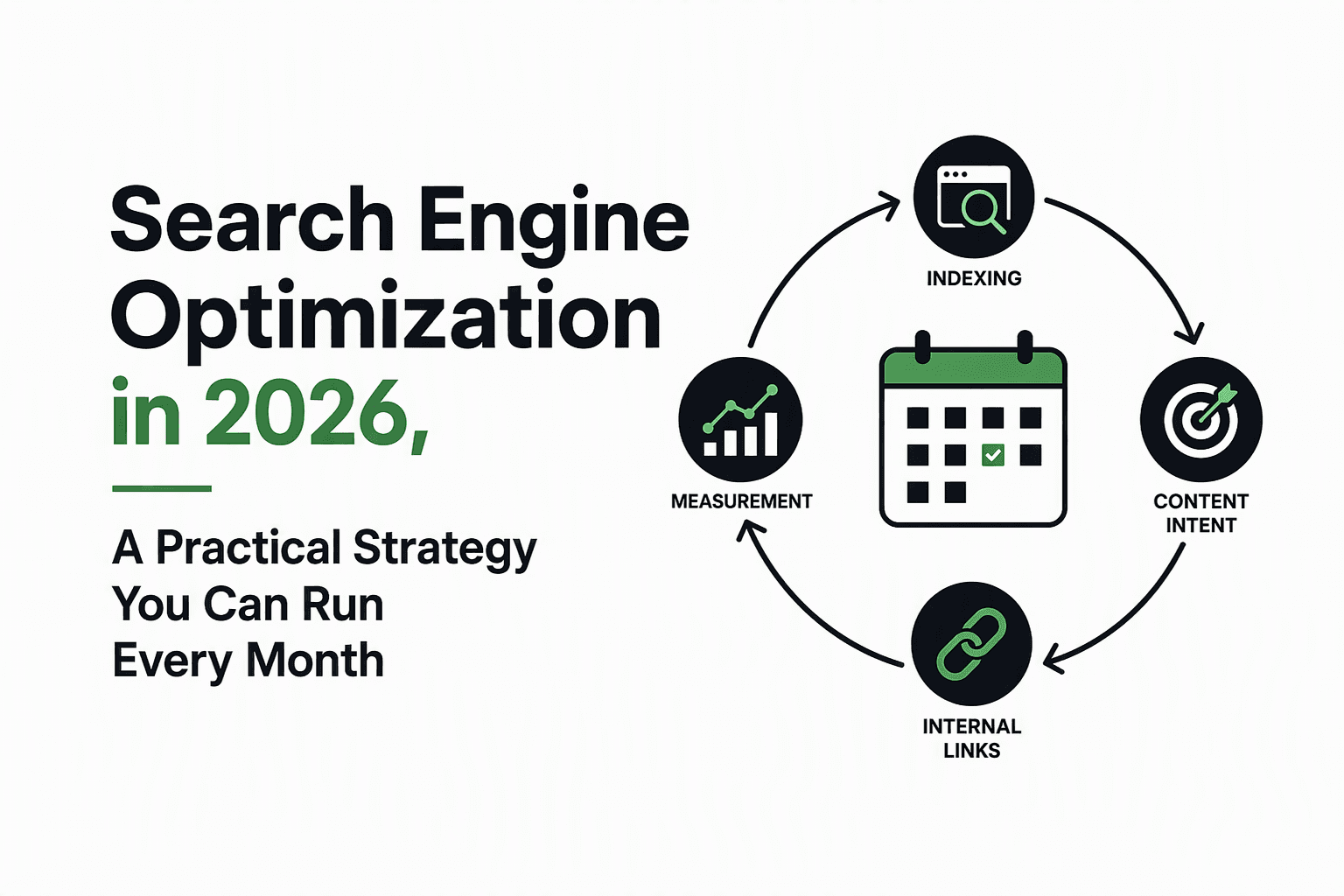
Search Engine Optimization in 2026, A Practical Strategy You Can Run Every Month
Run search engine optimization as a monthly system in 2026: fix indexability, build intent pages, strengthen links, and measure ROI in GSC.
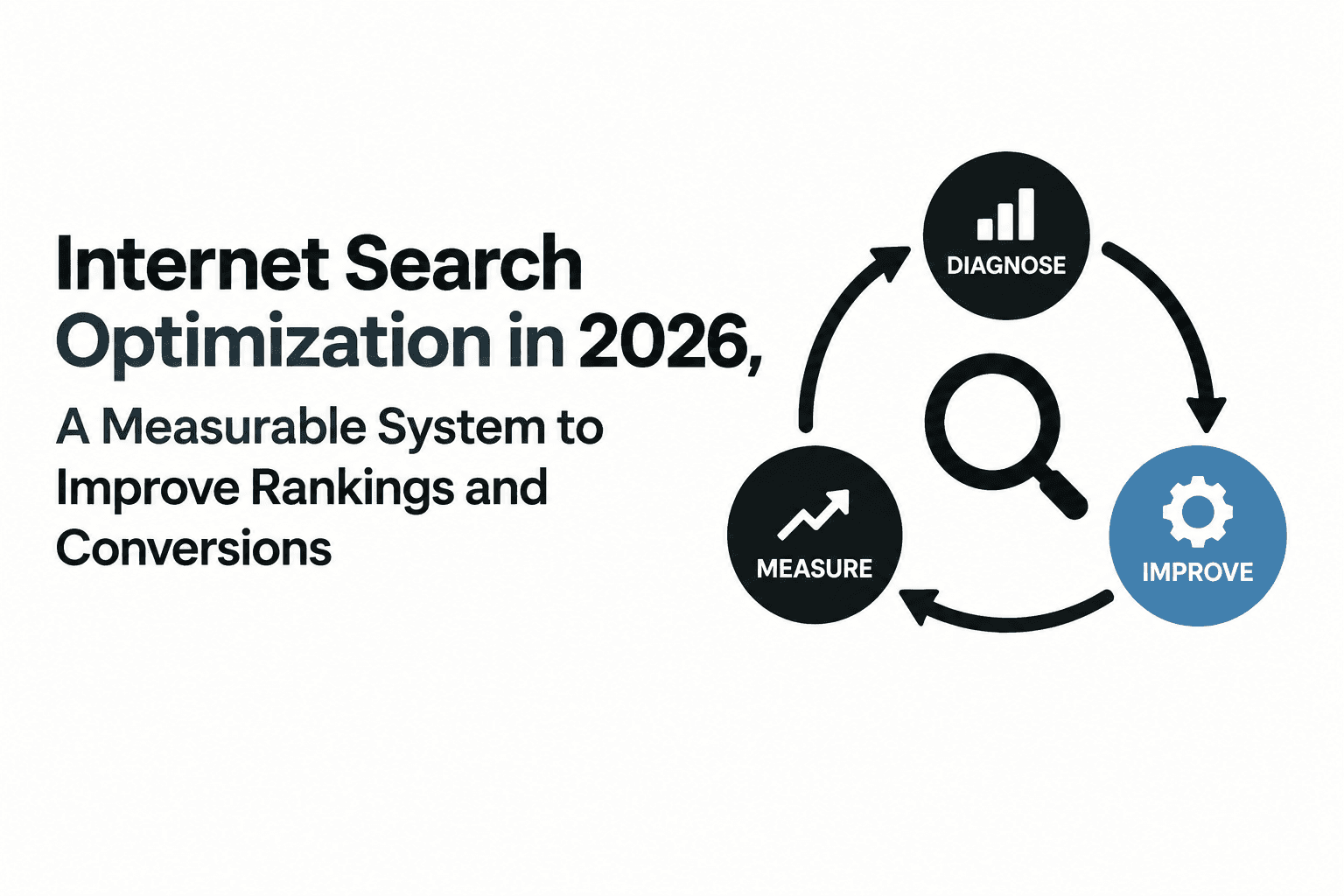
Internet Search Optimization in 2026, A Measurable System to Improve Rankings and Conversions
Run internet search optimization as a measurable loop: diagnose, prioritize, and track KPIs that improve rankings, CTR, and conversions.