
SEO Marketing Explained, A Practical System to Get Indexed, Rank, and Measure Results

SEO marketing is the process of earning unpaid visibility in Google by making your pages easy to crawl, useful to users, and credible enough to rank, then measuring results in Google Search Console (GSC) and analytics.
Key takeaways
SEO marketing works best as a measurable system: index coverage + query performance + business KPIs, not “rankings” alone.
Most early wins come from fixing crawl and indexing blockers, tightening on-page relevance, and building internal links before chasing backlinks.
A beginner can launch a strong baseline in 14 days using GSC checkpoints like sitemap submission, URL Inspection, and Coverage validation.
What SEO Marketing Is and Where It Fits in Digital Marketing
SEO marketing drives consistent, compounding traffic by improving how your pages match search intent and how reliably Google can crawl and index them.
Plain-language definition and the goal
Definition: SEO marketing combines content, website hygiene, and authority-building so your pages appear for relevant searches without paying per click.
Primary goal: increase qualified organic visits that convert (leads, signups, purchases).
Secondary goals: improve brand discoverability, reduce dependency on ads, and create reusable content assets.
What SEO marketing is not
Not just “adding keywords” to a page.
Not only link building.
Not a one-time project: it is ongoing measurement and iteration.
SEO vs SEM (and how to choose early)
SEO and SEM can work together, but they solve different problems: SEO builds durable demand capture; SEM buys immediate visibility.
Feature | SEO | SEM (paid search) |
|---|---|---|
Traffic cost | No cost per click, but requires time and work | Cost per click (CPC) for every visit |
Speed to impact | Slower, often weeks to months depending on site and competition | Fast, often same day |
Compounding effect | High: content can bring traffic for months or years | Low: traffic stops when spend stops |
Best for | Long-term growth, content-led acquisition, trust building | Short-term demand capture, testing offers, seasonal pushes |
Primary measurement | Impressions, clicks, indexed pages, conversions from organic | Clicks, CPC, conversion rate, ROAS |
A simple positioning checklist (use this before you start)
Choose SEO-first if you can invest 2 to 6 hours/week for at least 8 weeks and you have a clear niche (service, category, or topic) to own.
Choose SEM-first if you need leads this week, you have a validated offer, and you can afford testing budget.
Run both if you can use SEM query data to validate topics while SEO builds the long-term engine.
How Google Turns Pages Into Rankings, Crawl, Index, Rank
Google rankings only happen after Google can crawl a URL, decide it is indexable, and then evaluate relevance and quality signals against competing pages.
The pipeline you can actually debug in GSC
Discovery: Google finds URLs via links, sitemaps, and feeds.
Crawl: Googlebot requests the page and supporting resources.
Render: Google processes HTML and, for many pages, executes some JavaScript to understand content.
Index: Google stores the page if it is canonical and meets quality requirements.
Rank: Google selects and orders pages for a query based on relevance, helpfulness, and authority signals.
What commonly breaks (and the GSC report that reveals it)
Sitemap not submitted or invalid → GSC: Sitemaps report shows errors or “couldn’t fetch.”
Robots.txt blocking important paths → GSC: URL Inspection “Crawl allowed? No.”
Noindex on pages you want to rank → GSC: Pages report “Excluded by ‘noindex’ tag.”
Wrong canonical (Google chooses a different URL) → GSC: URL Inspection “Google-selected canonical” differs from “User-declared canonical.”
Soft 404 / thin content → GSC: Pages report shows “Soft 404.”
Server errors → GSC: Pages report “Server error (5xx).”
Two practical rules we use to avoid early SEO frustration
After running technical audits on small business sites, the pattern was clear: most “SEO isn’t working” complaints trace back to indexing issues or duplicate URLs, not to “bad keywords.”
Rule 1: If a page is not indexed, do not spend time polishing copy or building links to it yet.
Rule 2: If Google is indexing the wrong version (http vs https, www vs non-www, parameters), fix canonicalization before you publish more.
For a deeper implementation guide, the first time you hit canonical, crawlability, or sitemap issues, bookmark this technical SEO framework so you can diagnose systematically.
The Three Pillars of SEO Marketing, On-Page, Technical, and Authority
SEO marketing becomes manageable when you treat it as three pillars with checklists you can verify, not “tips” you hope will work.
Pillar 1: On-page relevance (what the page is about)
One page, one primary job: each page targets a single intent (hire, compare, buy, learn).
Title tag: unique, specific, and aligned with the query; avoid repeating the same template across pages.
H1 and headings: reflect the page promise and break content into scannable sections.
Internal links: link from related pages using descriptive anchor text (not “click here”).
Snippet-ready answers: include direct 1 to 2 sentence answers under relevant headings for core questions.
If you are building pages around topics rather than one keyword, the method behind semantic SEO helps you cover sub-questions that AI summaries and snippets often pull from.
Pillar 2: Technical foundations (whether Google can process the page)
Indexability: no unintended noindex, no blocked resources, correct canonical tags.
Site architecture: important pages reachable within a few clicks from the homepage.
XML sitemap: submitted in GSC and includes only canonical, indexable URLs.
Redirect hygiene: avoid redirect chains and broken internal links.
Core web experience: keep pages fast and stable, especially on mobile (check in PageSpeed Insights).
Pillar 3: Authority and trust (why Google should rank you)
Quality backlinks: earned via partnerships, PR, community involvement, and genuinely useful resources.
Entity clarity: consistent brand and author details across the site, with clear About and contact information. In our experience working with service businesses, adding clear entity details (company name, address, service areas, and team bios) reduces “who is this?” friction for both users and crawlers.
Review and reputation signals: especially for local services; keep business listings consistent.
When you want to tighten how Google understands your brand and topics, a practical starting point is entity SEO and structured content that connects related pages naturally.
SEO Marketing in 14 Days, A Beginner Plan With Exact Search Console Checkpoints
A 14-day SEO marketing launch works when you prioritize indexability first, then on-page relevance, then internal linking and measurement.
What you need before Day 1
Google Search Console access (verified property).
Google Analytics (or another analytics platform) connected, if possible.
A list of your top 5 to 10 money pages (services, categories, demo pages).
Day-by-day plan with GSC checkpoints
Day 1: Verify tracking and ownership. GSC checkpoint: you can open URL Inspection for your homepage and see a live test.
Day 2: Submit sitemap. GSC checkpoint: Sitemaps report shows “Success” and last read time updates.
Day 3: Check Pages report for exclusions. Fix obvious issues: “noindex,” “blocked by robots.txt,” “duplicate without user-selected canonical.”
Day 4: Validate canonical settings on 5 key pages. GSC checkpoint: URL Inspection shows your intended canonical as Google-selected canonical, or you know why it differs.
Day 5: Fix internal link breakage and redirect chains. Practical checkpoint: your top pages load in one hop (no multi-redirect chain).
Day 6: Align each key page to a single intent. Output: rewrite H1 and first paragraph to match the intent (hire, buy, compare) and add a clear call to action.
Day 7: Add 3 to 5 internal links into each key page. Source links from blog posts, FAQs, and related services; use descriptive anchor text.
Day 8: Create one supporting content piece for each key page. Example: “pricing,” “how it works,” “vs,” or “common problems” article that links back to the key page.
Day 9: Improve titles and meta descriptions for key pages. Measurement checkpoint: you can later review CTR trends in GSC Performance, but do not expect same-day changes.
Day 10: Add FAQs to one key page. Keep answers short, specific, and consistent with what you deliver.
Day 11: Run a quick mobile speed sanity check. Use PageSpeed Insights on your homepage and one key page; fix the biggest obvious issues (uncompressed images, heavy scripts) if feasible.
Day 12: Request indexing for 3 updated URLs. GSC checkpoint: URL Inspection shows “Indexing requested.” Use sparingly for important pages only.
Day 13: Establish your baseline KPIs. GSC checkpoint: Performance report filtered to last 28 days, export queries and pages so you can compare next month.
Day 14: Set a 30-day review ritual. Calendar a review: Pages report health, Performance report changes, and one content improvement cycle.
What “good” looks like after 14 days (realistic expectations)
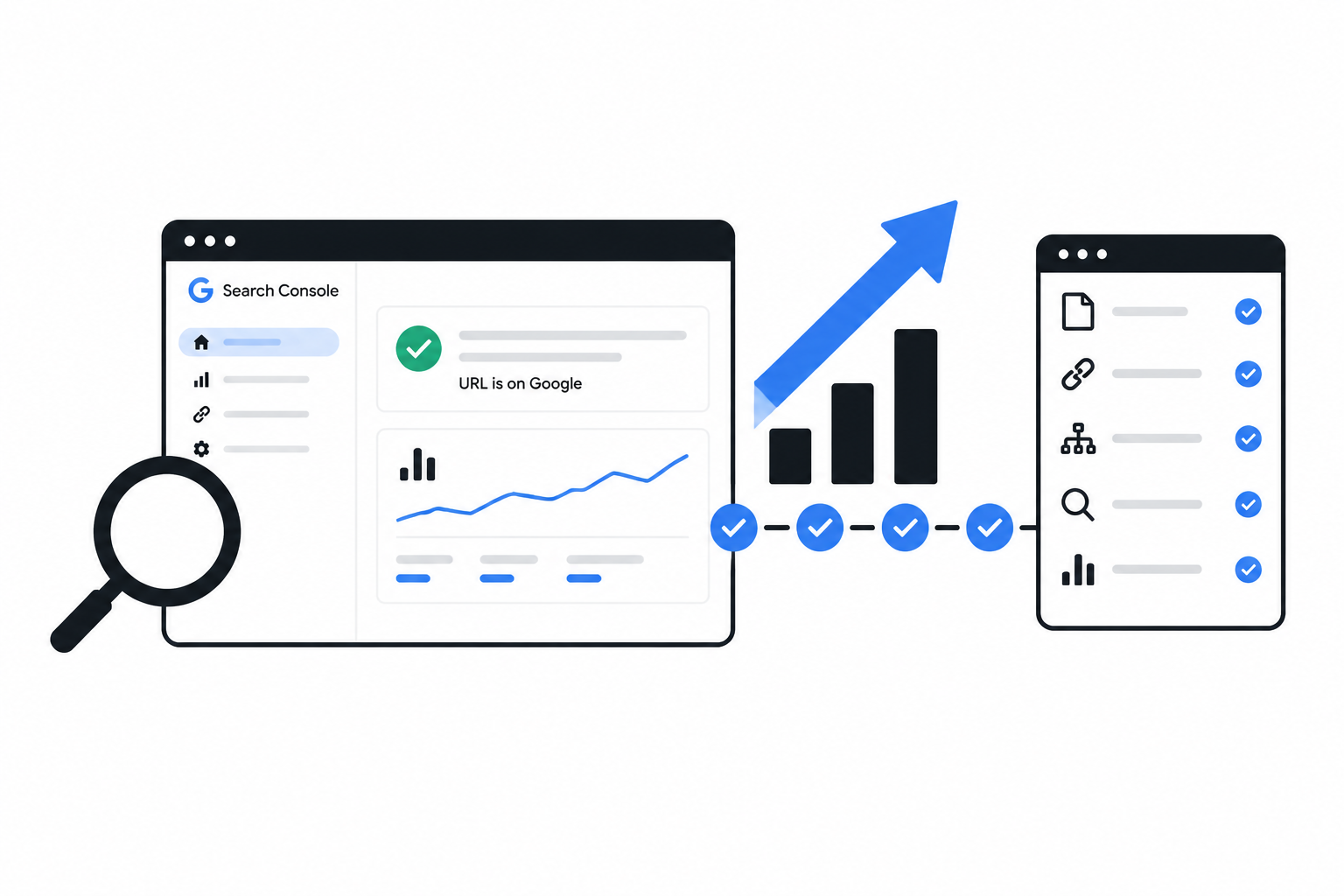
Most key pages are indexed and show “URL is on Google” in URL Inspection.
GSC Performance shows impressions for at least some queries, even if clicks are still low.
You have a repeatable checklist for every new page: publish, link internally, sitemap, inspect, measure.
SEO Marketing Examples, Three Mini Walkthroughs From Keyword to KPI
SEO marketing becomes easier to learn when you tie one query to one page change and one measurable KPI in Search Console.
Example 1: Local service page (dentist, plumber, gym)
Goal: leads (calls, forms).
Target intent: “service + city” and “best + service + near me.”
Page to build: a city-specific service page (not your homepage).
What to change (in order):
Add a clear H1: “Emergency Plumber in Austin” (match the intent you want).
Add a 2-sentence answer near the top: who you help, where, and response time policy.
Add trust blocks: licenses, service area map, warranty policy, and real photos.
Add internal links from related pages: “drain cleaning,” “water heater repair,” “pricing.”
What to measure:
GSC Performance: clicks and calls-to-action page visits from queries containing your city.
GSC Performance: CTR on your main service query after title updates.
Analytics: form submissions or click-to-call events attributed to organic traffic.
Example 2: Ecommerce category page (running shoes, skincare, tools)
Goal: purchases.
Target intent: “category + attributes” (ex: “trail running shoes wide”).
Page to build: a category page with a short, helpful intro and clean faceted navigation rules.
What to change (in order):
Ensure canonical points to the main category URL; prevent endless parameter URLs from becoming indexable duplicates.
Add 150 to 250 words of category guidance: who it is for, how to choose, sizing notes.
Create internal links to subcategories and top products; avoid orphan products.
Write unique title tags per category and subcategory.
What to measure:
GSC Pages report: watch for “Duplicate, Google chose different canonical” spikes after navigation changes.
GSC Performance: impressions growth for attribute queries.
Analytics: revenue from organic landing on that category page.
Example 3: SaaS or B2B blog (lead gen with demos)
Goal: demo requests or trials.
Target intent: “how to,” “best tools,” and “template” queries related to your product category.
Page to build: one high-intent guide with a clear next step (template download, checklist, demo).
What to change (in order):
Structure the article to answer the query in the first 2 sentences, then expand with steps and examples.
Add a comparison table or checklist that can win featured snippets.
Add internal links to the product page and 2 to 3 supporting blog posts.
Refresh the article every quarter: add new screenshots, update steps, and remove outdated advice.
What to measure:
GSC Performance: clicks to the guide and the set of queries it ranks for.
On-site: conversion rate from the guide to the demo or signup.
Assisted conversions: whether organic visitors return and convert later.
To avoid confusion around terminology as you track results, this explainer on organic search vs. search engine optimization can help you map SEO metrics to business outcomes.
DIY vs Freelancer vs SEO Marketing Agency, A Decision Framework and Vetting Checklist
The best choice between DIY, a freelancer, or an SEO marketing agency depends on the size of your site, your timeline, and whether technical fixes require engineering help.
Decision framework (pick the first match)
DIY if: you have fewer than ~30 important pages, you can implement changes yourself, and your main issue is content and basics.
Freelancer if: you need 1 to 2 specialized skills (technical cleanup, content briefs, link outreach) and you can manage the project.
Agency if: you need a coordinated system (technical + content + reporting), multiple stakeholders, or you need implementation support across teams.
Expected deliverables by month (so you can spot fluff)
Month | DIY (typical) | Freelancer (typical) | Agency (typical) |
|---|---|---|---|
1 | GSC setup, sitemap, fix obvious indexing issues, optimize a few pages | Audit + prioritized fixes or content plan for a small set of pages | Audit + roadmap, technical fixes plan, reporting baseline, content strategy |
2 | Publish and interlink content, improve titles, build internal links | Implement selected fixes, publish content briefs, basic outreach | Ongoing technical improvements, content production workflow, internal linking strategy |
3 | Iterate based on GSC queries, refresh pages, expand topic coverage | Refine pages based on data, add links, update content | Systematic optimization cycles, KPI reporting, scaling content and authority |
Vetting checklist and red flags
Ask for: a prioritized roadmap that starts with crawl and indexability, then on-page, then authority.
Ask for: sample reporting that includes GSC Performance trends and business KPIs, not only rankings.
Ask: “Which issues would you check first in our GSC Pages report?” A real practitioner will name specific exclusions and how they would validate fixes.
Red flag: guaranteed rankings. Google results are not fully controllable, and guarantees often hide risky tactics.
Red flag: no mention of canonicals, indexing, internal links, or measurement.
When our team audits a site for fit, what surprised our team was how often the fastest gains came from reducing duplicate URLs and improving internal linking, not from publishing more pages.
If you want a reference list to compare providers, this roundup of search engine optimization companies can help you evaluate options with clearer criteria.
GSC checkpoint | What it indicates | What to do next |
|---|---|---|
Pages report shows many “Excluded by noindex” | Important pages cannot be indexed | Remove unintended noindex, then validate fix |
Google-selected canonical differs | Duplicate/parameter issues or weak signals | Fix canonicals, internal links, and sitemap to reinforce the preferred URL |
Impressions rising, clicks flat | Visibility improving but snippet not compelling | Rewrite titles, improve on-page answer clarity, match intent better |
Clicks rising, conversions flat | Traffic quality or landing page issue | Improve offer clarity, CTAs, trust proof, and page UX |
FAQ about SEO marketing
How long does SEO marketing take to show results?
SEO marketing can show early signs within weeks as impressions rise in Google Search Console, but meaningful business results often take longer because indexing, competition, and content iteration take time. The most reliable early milestone is getting key pages indexed and seeing consistent impressions for relevant queries.
What should I track first in Google Search Console?
Start with the Pages report to confirm index coverage and exclusions, then use the Performance report to track impressions, clicks, CTR, and the queries that trigger your pages. If you only track rankings, you can miss the real blockers like noindex, wrong canonicals, or crawl errors.
Is SEO marketing just content marketing?
No. Content is one pillar, but SEO marketing also includes technical foundations (crawl, index, canonicalization, sitemaps) and authority signals (links and trust). Content without indexability and internal links often fails to get consistent traffic.
Can I do SEO marketing myself without tools?
You can start with free tools, especially Google Search Console and PageSpeed Insights, and still make meaningful progress. Paid tools can speed up research and auditing, but they cannot replace the basics of getting pages indexed, matching intent, and measuring conversions.
If you ran the 14-day plan and want a second set of eyes on your GSC data and a prioritized roadmap, Freeways can optionally help with SEO service delivery like technical audits, content planning, on-page optimization, and reporting, starting with a low-friction SEO marketing roadmap call.

Written by Joyce Ng.

Online Marketing SEO: Revenue Engine or Expensive Busywork?
Run online marketing search engine optimization in 2026 with a practical workflow, examples, and a 90-day KPI cadence that ties SEO to revenue.

Stop Playing SEO Roulette: Your First 30 Days, Mapped Out
Learn marketing online seo in 2026 with a beginner framework, free tools, a 30-day plan, and simple KPIs to track organic progress.

High-Volume SEO Keywords: A Gold Mine or a Money Pit?
Learn keywords and SEO with a practical keyword research workflow, search intent examples, prioritization criteria, and a content mapping template.