
On Page SEO Explained, A Practical System Plus a Full Page Example

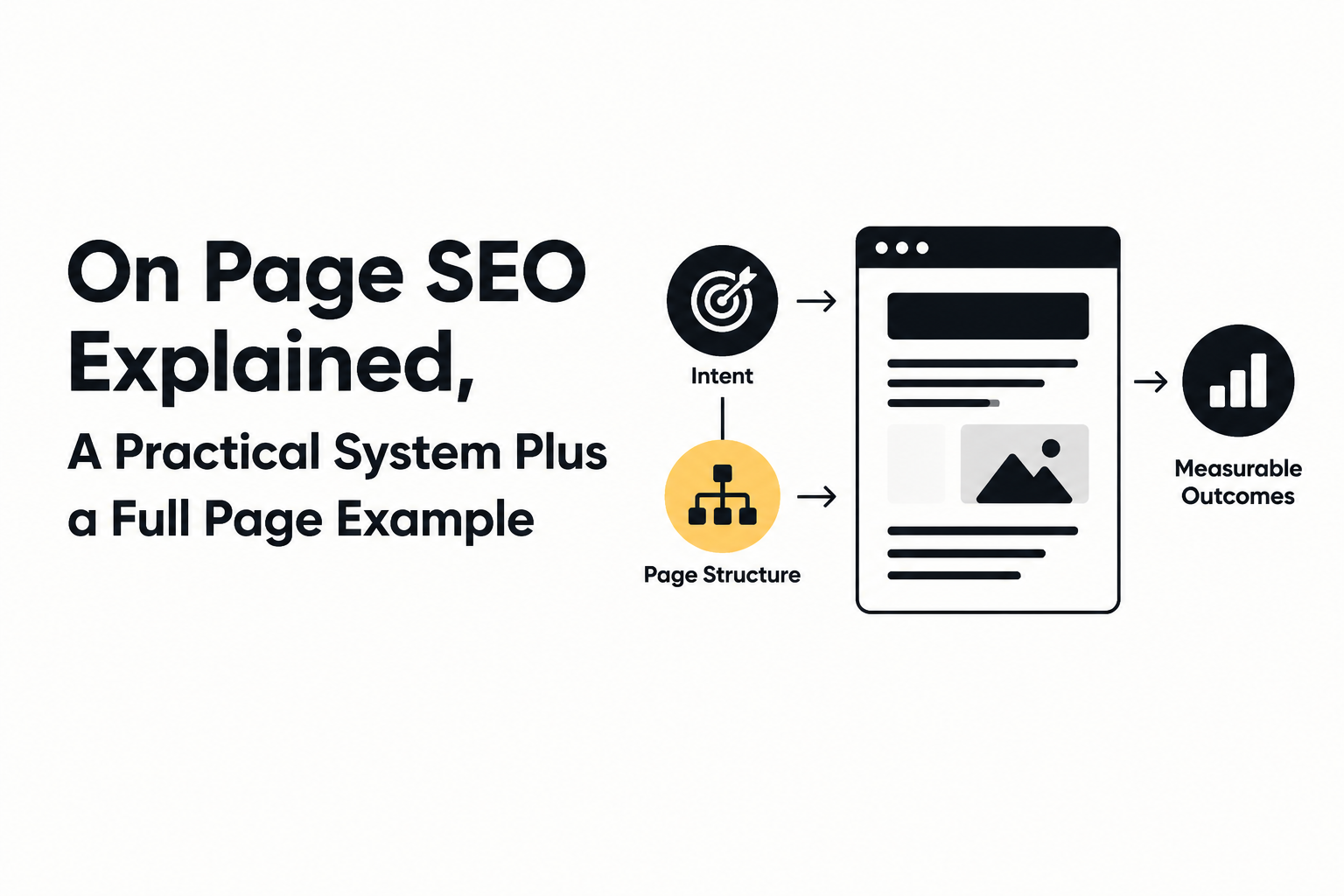
On page seo is the set of changes you make on a single webpage so search engines and AI systems can clearly understand the topic, trust the content, and match it to the right query. If rankings feel random or your pages get impressions but few clicks, the fix is often not “more content”, it is tighter intent alignment, clearer page structure, better internal linking, and cleaner metadata.
- Use a simple 4-part on page system: match intent, structure for scanning, strengthen trust signals, and remove on-page friction.
- Optimize one page end-to-end (title, headings, intro, links, media, schema) before scaling a template across your site.
- Measure results with a before/after baseline in Google Search Console: indexing, queries, CTR, and average position.
What On Page SEO Is and Where It Fits in the Four Types of SEO
On page SEO focuses on improving the relevance and readability of an individual URL by optimizing what is actually on that page: the text, headings, internal links, and page-level metadata.
Where it sits relative to the other types of SEO
A practical way to avoid confusion is to think in four buckets, each with a different “lever” you can pull:
- On-page SEO: Changes on the page itself. Examples: rewrite the title tag, improve the intro to match intent, add internal links, add a comparison table, improve image alt text.
- Technical SEO: Site infrastructure and crawlability. Examples: fix broken canonical tags, improve Core Web Vitals, resolve indexation errors, clean up redirects. If you want the deeper version, see our guide to technical SEO.
- Off-page SEO: Signals outside your site. Examples: relevant backlinks, brand mentions, digital PR.
- Local SEO (or marketplace SEO for platforms): A specialized layer when geography or a platform matters. Examples: Google Business Profile, local citations, location pages.
What on-page can and cannot fix
On-page work is ideal when a page is indexed but underperforming, or when Google ranks the page for the “wrong” queries. On-page changes cannot compensate for major technical issues (for example, pages blocked by robots.txt) or a domain with zero authority in a competitive niche, but it often produces the fastest clarity wins because it directly improves how a page answers a query.
The On Page SEO System That Improves Rankings and AI Readability
A reliable on-page SEO process can be run as a four-part system that starts with intent and ends with friction removal, so the page is both easy to rank and easy for AI summaries to quote.
Part 1: Lock the search intent in one sentence
Start by writing one sentence that states what the searcher wants and what “done” looks like, then make the page deliver that outcome quickly. For “on page seo”, the intent is typically: learn what it is, get a step-by-step method, see an example, and leave with a checklist.
- Pass criteria: A reader can land on the page and confirm in 10 seconds that it solves their problem.
- Common fail: The page starts with history, fluff, or broad SEO theory and only later gets practical.
Part 2: Build an extractable structure (for humans and machines)
Generative engines and featured snippets pull from well-structured passages, so structure is not formatting, it is retrieval. Use:
- One clear H1 that matches the page topic.
- H2s that map to sub-questions (definition, method, example, checklist, tools, cost, measurement).
- Short “answer-first” openings at the top of each section.
- Lists and tables when you are comparing or outlining steps.
In practice, I draft headings before I write paragraphs because it prevents me from adding sections that do not serve the query. It also makes it obvious where an internal link or a short example belongs.
Part 3: Add trust signals that do not feel like “SEO”
Trust on a page is mostly communicated through specificity and helpful constraints, not buzzwords. Starter-level trust signals you can add without turning your content into a legal document include:
- Concrete criteria: “Check for one primary topic per page” is more trustworthy than “optimize your content”.
- Clear scope: State what the page covers and what it does not.
- Practical examples: Show a before/after title tag, intro, and heading set.
- Relevant internal references: Link to deeper explanations like semantic SEO when the reader is ready for it.
Part 4: Remove on-page friction (speed, clutter, and “missing context”)
On-page friction is anything that makes the content harder to consume or interpret. Keep this part basic unless you have an engineering team available:
- Core Web Vitals basics: Use compressed images, avoid huge above-the-fold elements, and keep layouts stable.
- Media clarity: Images should have descriptive alt text; screenshots should be readable on mobile.
- Context completeness: If you mention a method, include steps or a template so the reader can act.
A Full On Page SEO Example, Before and After a Single Page Optimization
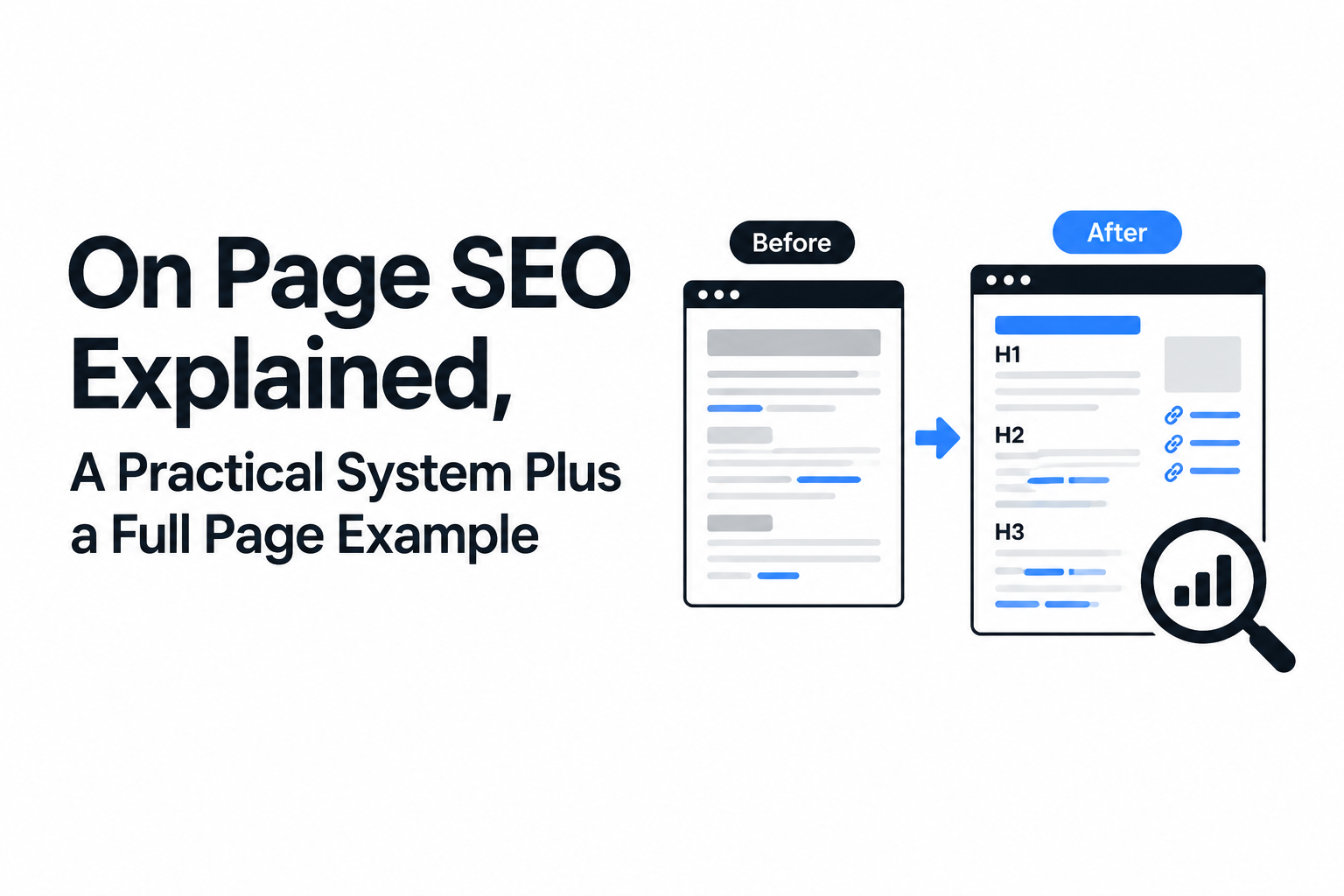
A complete on-page SEO example shows the real work: tightening the topic, rewriting the title and intro for intent, improving headings, and adding internal links and schema so the page becomes easier to rank and easier to summarize.
The scenario
Imagine a page that is trying to rank for “on page seo” but it is currently vague, mixes topics, and does not give a reusable system. The goal is not to stuff the keyword, it is to make the page unmistakably useful for one audience: beginners who want a method and a checklist.
Before and after: title tag, URL, and H1
- Title tag (before): “SEO Basics for Websites | Free Guide”
- Title tag (after): “On Page SEO Explained: a 4-step system + checklist”
- URL (before): /seo-basics
- URL (after): /on-page-seo-explained
- H1 (before): “SEO Basics”
- H1 (after): “On Page SEO Explained, A Practical System Plus a Full Page Example”
Why it works: The “after” version sets expectations. It also aligns title, URL, and H1 around a single topic so Google does not have to guess.
Before and after: intro that matches intent
- Intro (before): Three paragraphs explaining what search engines are and why SEO matters.
- Intro (after): A one-sentence definition, then a plain list of what the page will help you do (system, example, checklist, measurement).
When I refresh pages, intros are the first place I look because they set the retrieval frame. If the intro does not answer the query directly, the rest of the page has to fight uphill.
Before and after: H2 and H3 structure
- Headings (before): “SEO Tips”, “Content Marketing”, “Link Building”, “Tools”
- Headings (after): H2s that match sub-questions: definition and types, system, example, checklist, tools, cost, measurement.
Why it works: The “after” structure is scannable and maps to what people actually ask. It also creates natural places for internal links to deeper topics like entity SEO when you want to strengthen how your pages describe concepts consistently.
Internal links and anchors
Add 3 to 8 internal links from the page to the most relevant supporting content, using descriptive anchors. For example, if the page mentions measuring performance, link to a focused explanation of search visibility rather than using a generic “click here”.
Images, alt text, and captions
- Add images only when they clarify: a before/after snippet, a checklist screenshot, or a simple diagram.
- Alt text rule: describe the image content, not just the keyword. Example: “Checklist showing metadata, headings, internal links, and schema steps”.
Schema and page annotations (keep it simple)
Use schema when it helps machines understand what the page is, not as decoration. For a tutorial-style post, Article schema is a reasonable baseline; FAQ schema can be appropriate when the questions are genuinely answered on the page. If you are not sure, prioritize clean headings and clear answers first.
On Page SEO Checklist Template You Can Copy and Use on Any Page
An on-page SEO checklist works best when it is grouped by tasks you can complete in one editing session: metadata, content, links, media, performance, and structured data.
Copy and paste checklist
- Metadata
- Title tag matches the page intent and names the core topic clearly.
- Meta description summarizes the value in plain English (do not rely on it for rankings, use it for clicks).
- URL is short, readable, and focused on one topic.
- One canonical URL is set (avoid duplicates).
- Headings and content
- One H1 that matches the page topic.
- H2s map to the sub-questions a beginner would ask.
- Each H2 starts with an answer-first sentence that stands alone.
- Intro defines the topic and sets expectations in the first paragraph.
- Include at least one concrete example, template, or table if the topic is procedural.
- Remove sections that do not support the page intent.
- Internal and external links
- Add internal links to the next logical step topics (2 to 8, depending on length).
- Use descriptive anchor text, not generic phrases.
- Link out only when it improves trust or helps the reader complete a task.
- Check for broken links on the page.
- Media
- Images support understanding (diagram, before/after, screenshot), not filler.
- Every image has descriptive alt text.
- Images are compressed and sized appropriately.
- Performance basics
- Page is usable on mobile and text is readable without zoom.
- Avoid huge scripts/widgets that delay meaningful content.
- Run a quick performance check and fix obvious issues (oversized images are the common one).
- Structured data
- Add Article schema where appropriate.
- Add FAQ schema only if the questions and answers appear on the page.
- Validate structured data after publishing.
On Page SEO Tools Map, What to Use for Each Task
An on-page SEO toolset is easiest to manage when you map one tool to one job, so you do not end up paying for overlapping suites.
Task-to-tool map
- Search queries and CTR: Google Search Console (free).
- Performance spot check: PageSpeed Insights (free).
- Schema validation: Schema.org Validator (free).
- On-page QA: a browser extension that shows headings, titles, and meta (pick one and standardize internally).
- Rank tracking: any lightweight tracker you trust, or a spreadsheet if your keyword set is small.
A simple workflow that avoids tool overload
I like to run on-page updates in two passes: first pass in the doc editor (headings, intro, examples, internal links), second pass in the browser (view source, check headings, check how it renders on mobile). Most beginner pages fail in pass one, not because of advanced tools.
How Much Does On Page SEO Cost, Typical Ranges and Cost Drivers
On-page SEO cost usually depends on page complexity and volume, because rewriting and restructuring content takes more time than changing metadata.
Typical pricing models you will see
- DIY: Your time plus tools. Good when you have a small site and can learn as you go.
- Freelancer per page: Common for blogs, landing pages, and local service pages. The main variable is whether they are only “optimizing” or also rewriting.
- Agency package or retainer: Often used when you need a repeatable process across many URLs, plus coordination with developers for performance or structured data.
What increases cost (and what is worth paying for)
- Heavy content rewriting: If the page needs a new structure, examples, and better intent match, that is real editorial work.
- Design and media updates: Custom graphics, screenshots, and UI improvements add effort.
- Technical coordination: Schema, templates, and performance fixes can require developer time.
- Scale: Doing this on 5 pages is different than rolling it out on 200 pages with consistent QA.
If you are comparing options, ask for a sample “before/after” deliverable on one page. A good provider will show exactly what changed: headings, intro, internal links, and what they expect to measure in Search Console after publishing.
How to Measure On Page SEO Results, From Indexing to CTR to Rankings
On-page SEO results should be measured with a simple before-and-after loop in Google Search Console: confirm indexing, track query impressions, watch CTR, and review average position for the target query set.
Step 1: Create a baseline before you change anything
- Export the last 28 days (or 3 months if the page is seasonal) for the URL in Search Console.
- Record: total clicks, total impressions, average CTR, average position, and top queries.
Step 2: Confirm the page is indexed and eligible
- Use the URL Inspection report to confirm index status.
- Make sure the canonical URL is the one you edited.
Step 3: Track outcomes that match the change you made
- If you rewrote the title/meta: expect CTR movement first.
- If you restructured content for intent: expect new queries and improved topical alignment over time.
- If you added internal links: expect better discovery and sometimes faster movement for related queries.
Step 4: Evaluate with a realistic window
Small on-page edits can show changes within weeks, while bigger rewrites may take longer as Google reprocesses the content and the query set stabilizes. Use the same date window length for before and after so you are not comparing a week to a month.
Step 5: Iterate based on query data, not guesses
If Search Console shows impressions for a related query you did not explicitly answer, add a short section that answers it directly and link to a deeper page if needed. This is where on page seo becomes compounding: each iteration makes the page easier to interpret and more complete for the real demand you see in queries.
| On-page change | Primary metric to watch | Where to check | Common interpretation |
|---|---|---|---|
| Title tag and meta description rewrite | CTR | Google Search Console (Performance) | Higher CTR usually means the snippet matches intent better. |
| Heading and intro restructure | New queries and impressions | Google Search Console (Queries) | More relevant queries indicate clearer topical alignment. |
| Internal links added | Impressions and clicks to the linked pages | Search Console + internal analytics | Better internal discovery can support clusters over time. |
| Image compression and page cleanup | Core Web Vitals indicators and engagement | PageSpeed Insights + field data when available | Reduced friction helps users consume the page, indirectly supporting performance. |
FAQ
If you want to apply this checklist across dozens of URLs without missing details, Freeways Agency can help by running an on-page audit, prioritizing fixes by impact, and coordinating any required structured data or performance updates so the improvements ship cleanly and consistently.

Written by Joyce Ng.

Online Marketing SEO: Revenue Engine or Expensive Busywork?
Run online marketing search engine optimization in 2026 with a practical workflow, examples, and a 90-day KPI cadence that ties SEO to revenue.

Stop Playing SEO Roulette: Your First 30 Days, Mapped Out
Learn marketing online seo in 2026 with a beginner framework, free tools, a 30-day plan, and simple KPIs to track organic progress.

High-Volume SEO Keywords: A Gold Mine or a Money Pit?
Learn keywords and SEO with a practical keyword research workflow, search intent examples, prioritization criteria, and a content mapping template.