
SEO Optimal Explained, What to Optimize First and How to Prove It Works

SEO optimal means maximizing measurable SEO impact per unit of effort, so you spend time on the changes most likely to improve visibility, clicks, or conversions. The practical way to get there is a repeatable prioritization system plus a simple audit-to-fix-to-verify workflow you can run with free tools.
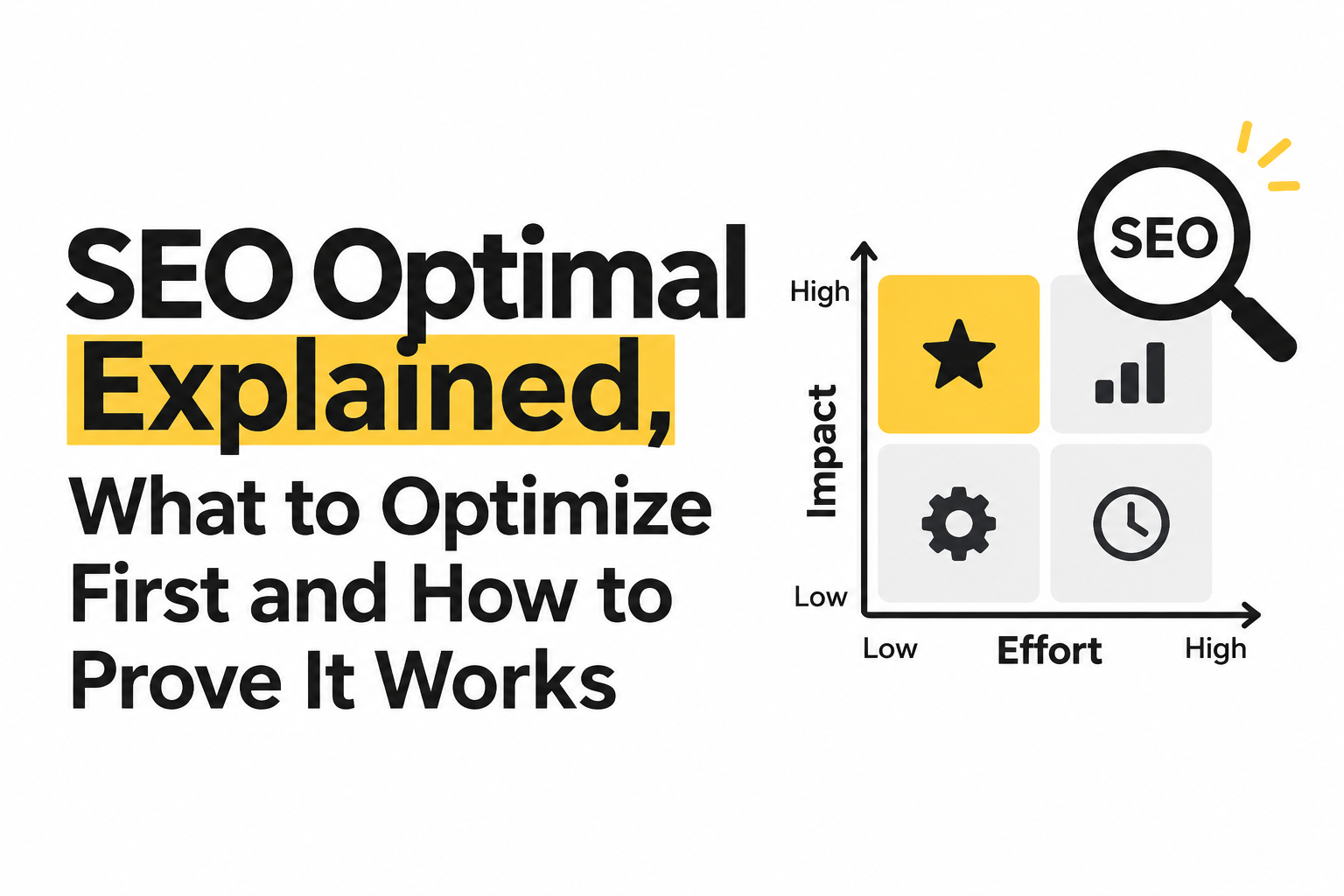
- Define “optimal” as impact per effort, then prioritize work with an Impact × Effort matrix rather than chasing vague SEO scores.
- Run a 60-minute checkup using free tools (Search Console, PageSpeed Insights, Rich Results Test) and output a focused fix list tied to specific pages and queries.
- Prove the work helped by verifying indexing, performance, and SERP features in Search Console, not by relying on a single “SEO score.”
What SEO Optimal Means and What It Does Not
SEO optimal is a decision standard: choose the set of SEO actions that delivers the highest expected outcome for the least total effort, given your site’s constraints. “Optimal” is not a perfect score, not a one-time checklist, and not a promise of rank #1 on a fixed timeline.
Use an “impact per effort” definition you can defend
If you want a definition that stays useful across algorithms, teams, and budgets, use this:
- Impact = the expected change in a business-relevant metric (impressions, clicks, leads, revenue) driven by search visibility.
- Effort = time, cost, approvals, and technical risk required to ship and maintain the change.
- SEO optimal work = tasks with the best Impact-to-Effort ratio and clear verification steps.
I treat “optimal” as a planning constraint, not an SEO philosophy. In practice, that mindset stops teams from spending weeks polishing low-impact pages while high-value pages suffer from indexing issues or poor snippets.
Three myths that derail “optimal” plans
- Myth 1: A high audit score equals better rankings. Scores can be useful for diagnostics, but they are not Google ranking guarantees. A score is a proxy for a subset of factors and may ignore what matters most for your queries.
- Myth 2: Optimal SEO is “do everything.” If the fix list is 200 items long, you do not have a plan. You have an inventory.
- Myth 3: Optimal means instant results. Even after shipping changes, you still need crawl, indexing, reprocessing, and query-level competition dynamics to settle. The timeline depends on site size, crawl frequency, and the type of change.
Realistic outcomes and timelines to expect
Instead of promising a date, set expectations by change type:
- Indexing and technical blockers: often visible in Search Console within days to a few weeks, depending on crawl.
- Snippet and structured data changes: can appear after recrawl and reprocessing, but eligibility does not guarantee display.
- Content quality and topical coverage: usually measured over several weeks to a few months because you need enough impressions to read signal, and because competitors react.
To keep terminology clear, this article focuses on a repeatable framework for deciding what “seo optimal” work looks like on your site today, then how to prove it helped.
The Impact × Effort Framework to Decide What to Optimize First
The fastest way to make SEO optimal decisions is to score potential tasks with a simple Impact × Effort matrix and then act on the highest-leverage items first. You can run this framework across technical work, content work, and authority signals without getting lost in tools or jargon.
Step 1: Define “Impact” using criteria you can measure
Use a 1 to 5 scale, where 5 means “likely to move a core metric soon” and 1 means “nice-to-have.” Score impact using these criteria:
- Revenue relevance: Does the page support a money keyword, lead gen, or product discovery?
- Existing traction: Does the page already get impressions or sit near page one (for example, average position roughly 8 to 20)?
- Query intent match: Does the page clearly satisfy what the query needs, or is it misaligned?
- Indexing exposure: Is the issue blocking crawl/indexing, or affecting a large template (sitewide impact)?
Step 2: Define “Effort” beyond developer hours
Effort is not just engineering time. Score effort (1 to 5) based on:
- Implementation complexity: single page edit vs template change vs infrastructure.
- Dependency load: approvals, brand review, legal, dev sprint scheduling.
- Risk and rollback cost: chance of breaking rendering, tracking, or conversions.
- Maintenance burden: one-time fix vs recurring work.
Step 3: Prioritize with a simple rule set
Once each task has an impact and effort score, sort by:
- Primary: (Impact ÷ Effort) descending
- Secondary tie-breakers: (a) affects many URLs, (b) impacts top landing pages, (c) has a clear verification method
When I run this with teams, the most useful constraint is the verification requirement: if you cannot describe how you will confirm the change worked in Search Console or server logs, it is not “optimal,” it is speculative.
Examples across technical, content, and authority
- Technical example (often high impact): important pages accidentally set to noindex, canonicalized incorrectly, or blocked in robots.txt. Impact is high because nothing else matters until pages can index.
- Content example (high leverage on near-winner pages): improving intent match and entity coverage on pages already getting impressions but low CTR. This is where on page seo work usually pays off quickly.
- Authority example (selective): consolidating duplicate pages to concentrate signals, or earning a small number of relevant mentions for a page that already ranks on page one but is stuck below stronger brands.
A copy-and-use Impact × Effort template
Paste this into a spreadsheet and force each task to be specific:
- Task: (example: “Fix canonical on /pricing to self-referential”)
- URLs affected: count + list top 5
- Impact score (1 to 5): with 1 sentence justification
- Effort score (1 to 5): with dependency notes
- Verification: what will change in Search Console (Coverage, Performance, Enhancements) and where you will look
- Owner + ship date:
A DIY SEO Site Checkup You Can Run in 60 Minutes Using Free Tools
A seo optimal checkup in 60 minutes focuses on finding the few issues most likely to change indexing, snippets, or top landing-page performance, using only free, reliable tools. The output should be a short list of actions tied to specific pages, not a long report.
Tool stack (free) and what each tool is for
- Google Search Console: performance (queries, pages, CTR), indexing signals, enhancement reports.
- PageSpeed Insights: lab data and field data when available (Core Web Vitals view).
- Rich Results Test: structured data validity and eligibility checks. Use Google’s tool: Rich Results Test.
- Chrome DevTools: quick checks for rendering issues, blocked resources, and console errors.
If you have access to server logs, they are powerful, but they are not required for this one-hour version.
Minute-by-minute workflow
- 0 to 10 minutes: Find your “money pages.” In Search Console Performance, set date range to 3 months, filter by “Search type: Web,” then export top pages by clicks and impressions.
- 10 to 25 minutes: Identify near-wins. In the same report, look for pages with high impressions and average position roughly in the 8 to 20 range. These are often the best candidates for seo optimal improvements because small relevance or snippet changes can move CTR and rank.
- 25 to 40 minutes: Check indexing and canonical signals. Use URL Inspection on 5 to 10 key pages. Confirm: (a) indexed or not, (b) Google-selected canonical, (c) last crawl date. If Google picks a different canonical than you expect, treat it as a priority investigation.
- 40 to 55 minutes: Check page experience and renderability. Run PageSpeed Insights on 3 templates: homepage, a category/service page, and a blog/article page. Note any red flags that affect users (slow LCP, layout shifts) and any heavy scripts you can audit later.
- 55 to 60 minutes: Validate structured data on one representative page. Run Rich Results Test on your main template. Note errors vs warnings, and whether the page is eligible for any rich result types.
Output template (what you should end with)
Your checkup should produce a one-page “priority list” with three sections:
- Blockers (do first): anything preventing indexing or causing canonical mis-selection on high-value pages.
- Near-win upgrades: 3 to 5 pages where intent match, headings, internal links, and snippet readiness can be improved.
- Template opportunities: 1 to 2 changes that affect many pages (navigation links, schema markup, breadcrumbs, page titles patterns).
In my experience, the biggest mistake in DIY audits is treating every warning like a fire. The seo optimal move is to tie each issue to either (a) indexing, (b) top landing pages, or (c) a repeatable template win.
SEO Optimal Scores Explained, Is 75 Good and What to Fix in Each Score Band
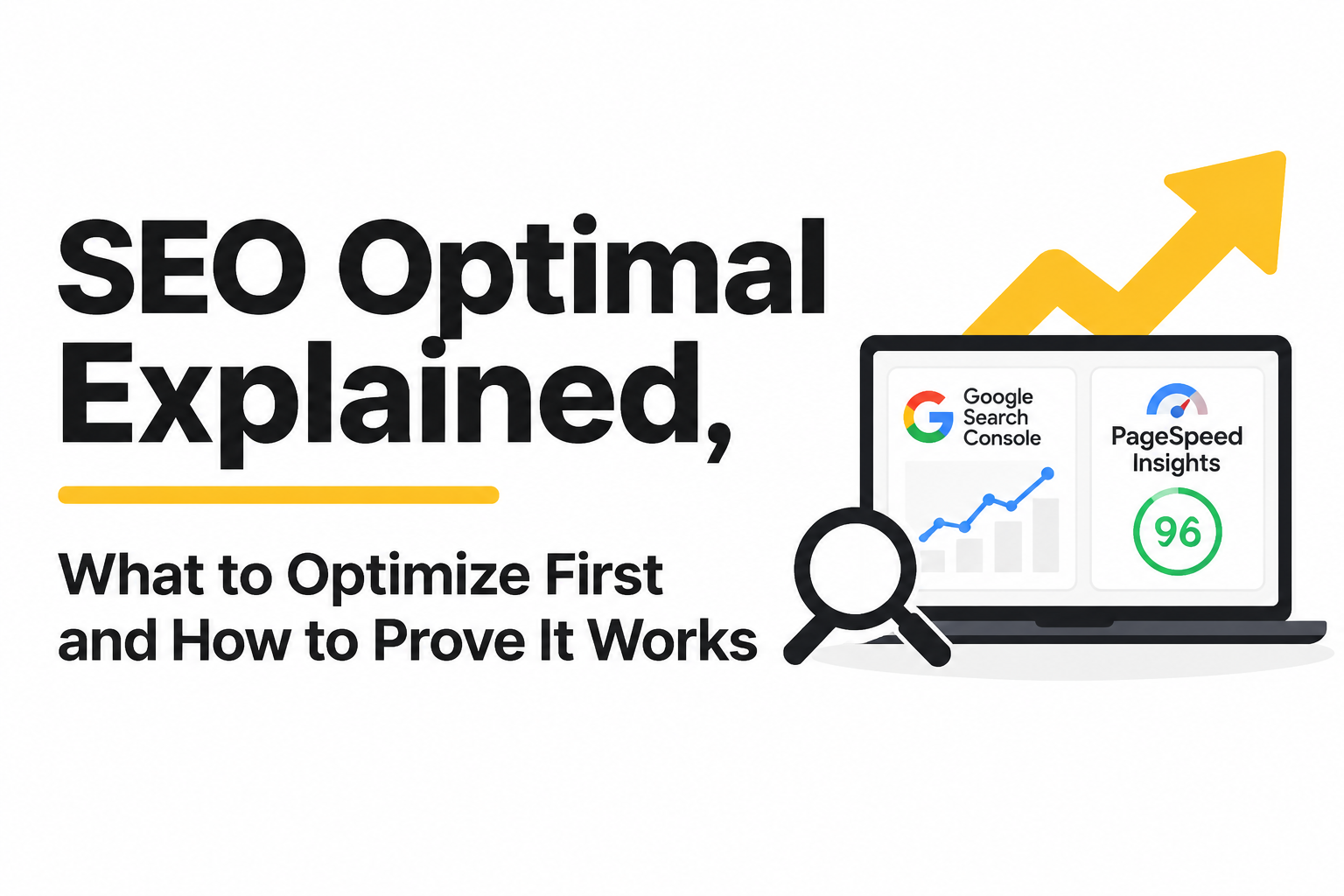
A Lighthouse or audit-tool score of 75 can be “good enough” if it is not blocking indexing or hurting user experience on your highest-impact pages, but it is not an all-clear signal. Scores are best used to locate specific issues you can verify after fixing.
What most SEO scores are actually measuring
- Lighthouse Performance: lab-based speed and responsiveness proxies, not rankings.
- Accessibility/Best Practices: quality signals that may correlate with good UX but are not direct SEO levers.
- SEO checks in Lighthouse: basic crawlability items (title present, meta description present, robots tags) and some structured data detection. Useful, but limited.
If you want the SEO truth source for Google, prefer Search Console reports, because they are based on how Google sees your site, not a simulated run.
Score bands and what to fix first
- 0 to 49 (red): treat as a stability issue. Focus on obvious render-blocking scripts, huge images, and server response time. Verify with PageSpeed Insights and then re-check field data when available.
- 50 to 74 (orange): fix the top 1 to 3 items that drive the score drop, usually large JavaScript bundles, image optimization, or excessive third-party tags. Do not chase every minor warning.
- 75 to 89 (yellow-green): you are often in diminishing returns. Prioritize only if the affected template is a top landing page type or if Core Web Vitals in Search Console show real-user problems.
- 90 to 100 (green): great, but do not confuse it with relevance. A fast page that does not satisfy intent will not win.
Verification steps that actually prove improvement
- Speed and CWV: check Search Console Core Web Vitals and the PageSpeed Insights field data section (when available). Lab improvements that do not show in field data may not change user outcomes.
- Indexing: confirm “Indexed” status and stable canonical selection in URL Inspection for the pages you fixed.
- Rich results: confirm no structured data errors in Search Console Enhancements and re-test key URLs.
SEO optimal work treats scores as a compass, not a destination. The destination is measurable change in impressions, clicks, CTR, and qualified visits.
Turn Findings Into a 30 60 90-Day Optimal SEO Plan You Can Measure
A 30 60 90-day plan is SEO optimal when each task has an owner, a verification method in Search Console, and a reason it belongs in that time window. The goal is to convert your audit list into shipped work and measurable outcomes, not permanent backlog.
30 days: remove blockers and stabilize templates
- Fix indexing blockers: noindex mistakes, canonical conflicts, soft 404 patterns, sitemap omissions.
- Correct critical technical signals: hreflang errors (if applicable), broken internal links on key templates, redirect chains on high-traffic pages.
- Set measurement baselines: export Search Console Performance for top pages and top queries, and save screenshots of Enhancements and CWV summaries.
If you need a structured approach to ongoing work, this is where a monthly cadence from search engine optimization planning helps because it forces weekly review rather than “set and forget.”
60 days: upgrade near-winners and internal linking
- Refresh 3 to 6 near-win pages: rewrite introductions to match query intent, add missing subtopics, improve headings, and answer common follow-up questions directly.
- Improve internal links: add 5 to 15 contextual links from relevant pages to your near-winners using descriptive anchors, and ensure navigation/breadcrumbs are consistent.
- Snippet readiness: add concise definitions, steps, and lists that can be extracted into featured snippets or AI summaries.
I usually see better results when teams start with pages that already have impressions, because you can validate change faster and avoid guessing which topics Google will test for you.
90 days: expand topical coverage and strengthen authority signals
- Build supporting content clusters: publish 4 to 8 supporting pieces that answer narrower intents and link them into your core service/topic pages. A practical way to do this is to apply semantic seo so the site covers entities and sub-intents, not just one keyword per page.
- Authority and trust basics: strengthen About/Contact transparency, add author and review policies where relevant, and earn a small number of genuinely relevant mentions rather than mass outreach.
- Technical debt paydown: address recurring template issues flagged in Search Console and prioritize items that affect many URLs.
Weekly review loop (15 minutes) using Search Console
- Performance: compare last 7 days vs previous 7 days for clicks, impressions, CTR, and average position.
- Pages tab: check whether updated pages gained impressions or CTR.
- Queries tab: look for new query themes emerging after content updates.
- Indexing and Enhancements: confirm no new errors were introduced.
If you want to understand how deeper site changes affect crawling and indexing, pair this plan with a dedicated technical seo review focused on templates and CMS constraints.
What Changes in 2026, Optimal SEO for Zero-Click and SERP Features
Optimal SEO in 2026 means optimizing for visibility and selection, not just blue-link clicks, because SERP features and AI summaries can satisfy intent directly on the results page. That does not make SEO less valuable, but it changes what you measure and how you structure answers.
Shift your definition of “win” beyond clicks
- Visibility wins: impressions growth on high-intent queries, consistent appearance for branded and non-branded terms.
- SERP feature wins: gaining rich results, “People also ask” coverage, or other enhanced displays when eligible.
- Qualified visit wins: fewer clicks but higher conversion rate because users arriving have stronger intent.
A practical SERP-feature playbook you can apply
- Write extractable answers: add 1 to 2 sentence direct answers at the top of key sections, then expand with steps, criteria, and examples.
- Use list and table patterns: structure comparisons, checklists, and thresholds so they can be lifted into snippets.
- Implement structured data where it matches content: validate with the Rich Results Test and confirm in Search Console enhancements. Only mark up what is actually on the page.
- Optimize titles for intent clarity: prioritize accurate promise over cleverness, and align H1 with the primary task the page solves.
What to track in Search Console for zero-click reality
- Impressions and CTR together: rising impressions with falling CTR can indicate more SERP features or broader query matching.
- Query-level intent shifts: new queries can signal Google is reclassifying your page’s relevance.
- Page groups: compare template types (blog vs service pages) to see where SERP features affect you most.
SEO optimal planning in this environment is less about forcing a keyword into a page and more about making your page the cleanest, most quotable, best-structured answer for the intents you want.
| Task type | When it’s “seo optimal” to do it | What to verify | Free tool |
|---|---|---|---|
| Indexing/canonical fixes | Key pages are not indexed or Google selects the wrong canonical | Indexed status, Google-selected canonical, crawl date | Search Console URL Inspection |
| Near-win content upgrades | High impressions, average position around 8 to 20, low CTR | CTR, clicks, query mix changes | Search Console Performance |
| Core Web Vitals improvements | Field data shows “Poor” or “Needs improvement” on key templates | CWV report trend, field data changes | Search Console + PageSpeed Insights |
| Structured data cleanup | You are eligible for rich results and errors block eligibility | Enhancement errors drop, valid items increase | Rich Results Test |
FAQ
If you want a second set of eyes on what “seo optimal” should mean for your site, Freeways Agency can create a free, no-obligation priority list based on your Search Console data and your top pages, then outline what to fix first and how to verify results.

Written by Joyce Ng.

Local Search Engine Optimization Explained, What It Is, Benefits, and a Simple Starter Plan
Learn local search engine optimization, why it differs from SEO, and follow a simple starter plan to win Google Maps and the Local Pack.
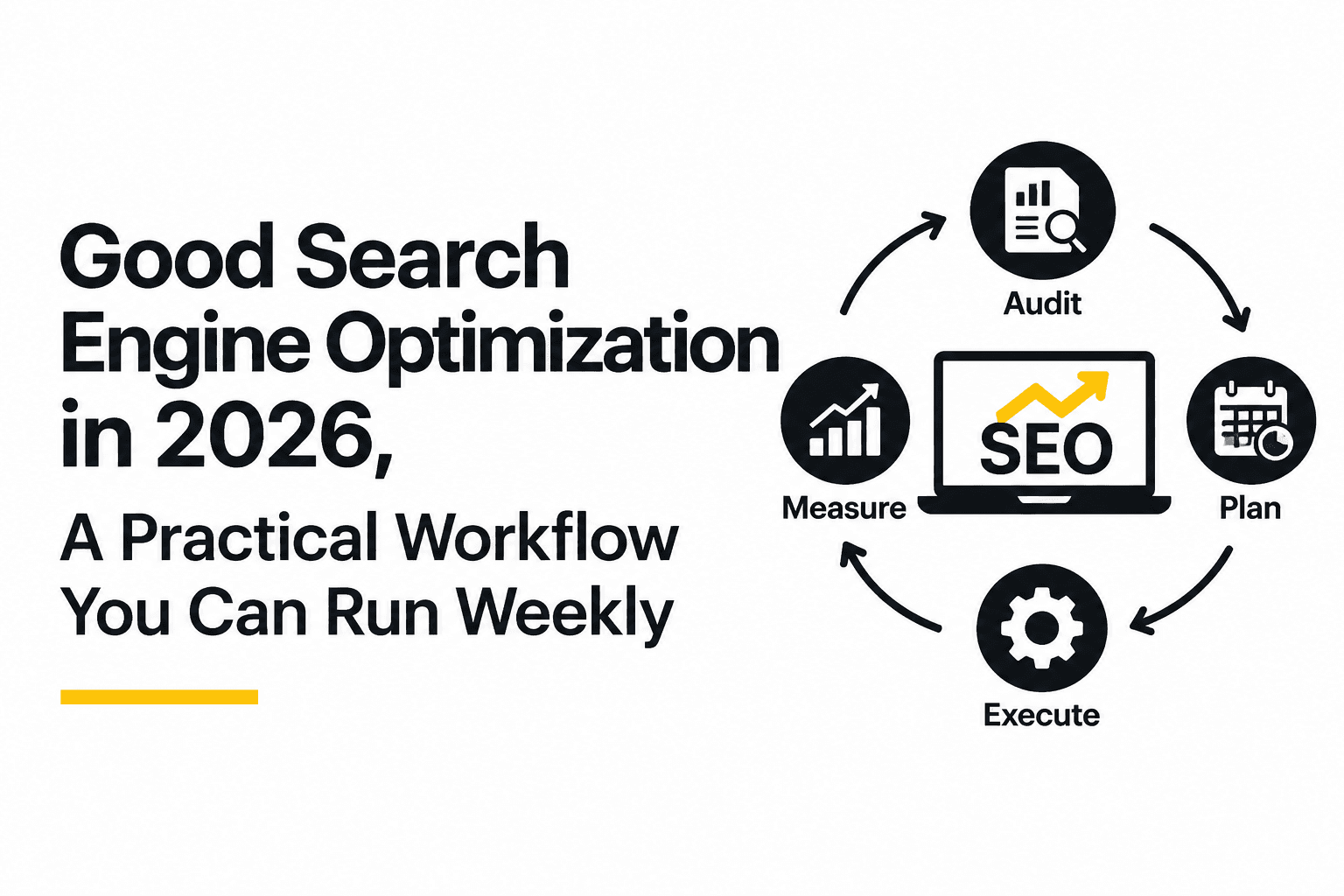
Good Search Engine Optimization in 2026, A Practical Workflow You Can Run Weekly
Learn good search engine optimization in 2026 with a weekly SOP: audit, plan, execute, measure, plus tools, examples, and a 30-60-90 plan.

Top Search Engine Optimization Companies in 2026 Ranked With a Transparent Scorecard
Compare top search engine optimization companies in 2026 using a transparent scorecard, pricing ranges, red flags, and an RFP template.